Hello 👋🏻,
I'm in a different company's marketing department basically every week, from Startups to leading Enterprise.
And the question I hear most isn't about AI capabilities.
It's way more basic than that:
"This looks great. But how do I apply this to MY JOB?"
Not what can AI do. What changes their actual work.
Everyone in the tech world is raving about Claude (myself included), but what does it really change to day-to-day work tasks. I've been testing the Claude Cowork feature through that filter.
Quick context if you missed it:
Claude Cowork is a tab in the Claude Desktop app (you'll need to download it, it doesn't run in the browser).
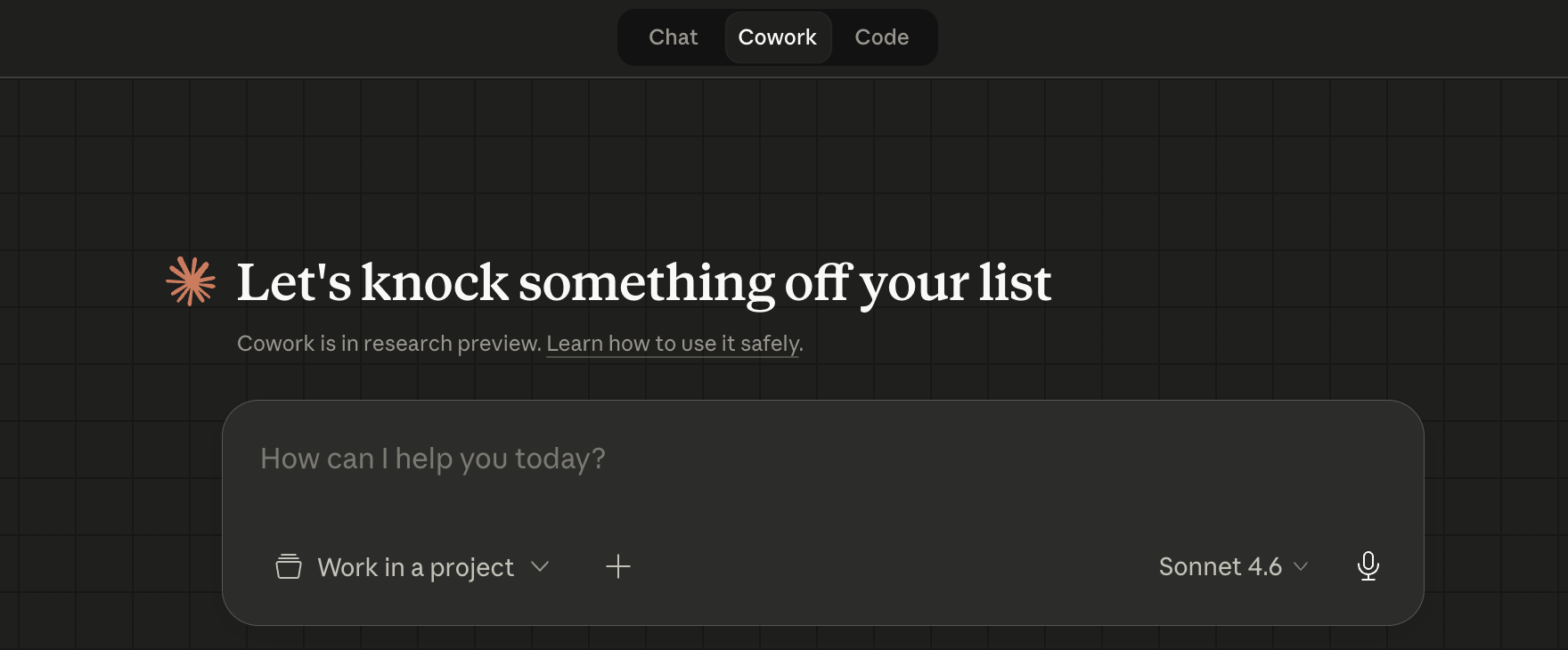
You describe what you want done, Claude goes and does it: Browses the web, reads your local files, connects to Slack, Gmail, Google Drive, Microsoft 365.
It can even take control of your computer on your behalf ⚠️
The app (tools) connections are simple toggles in your settings.
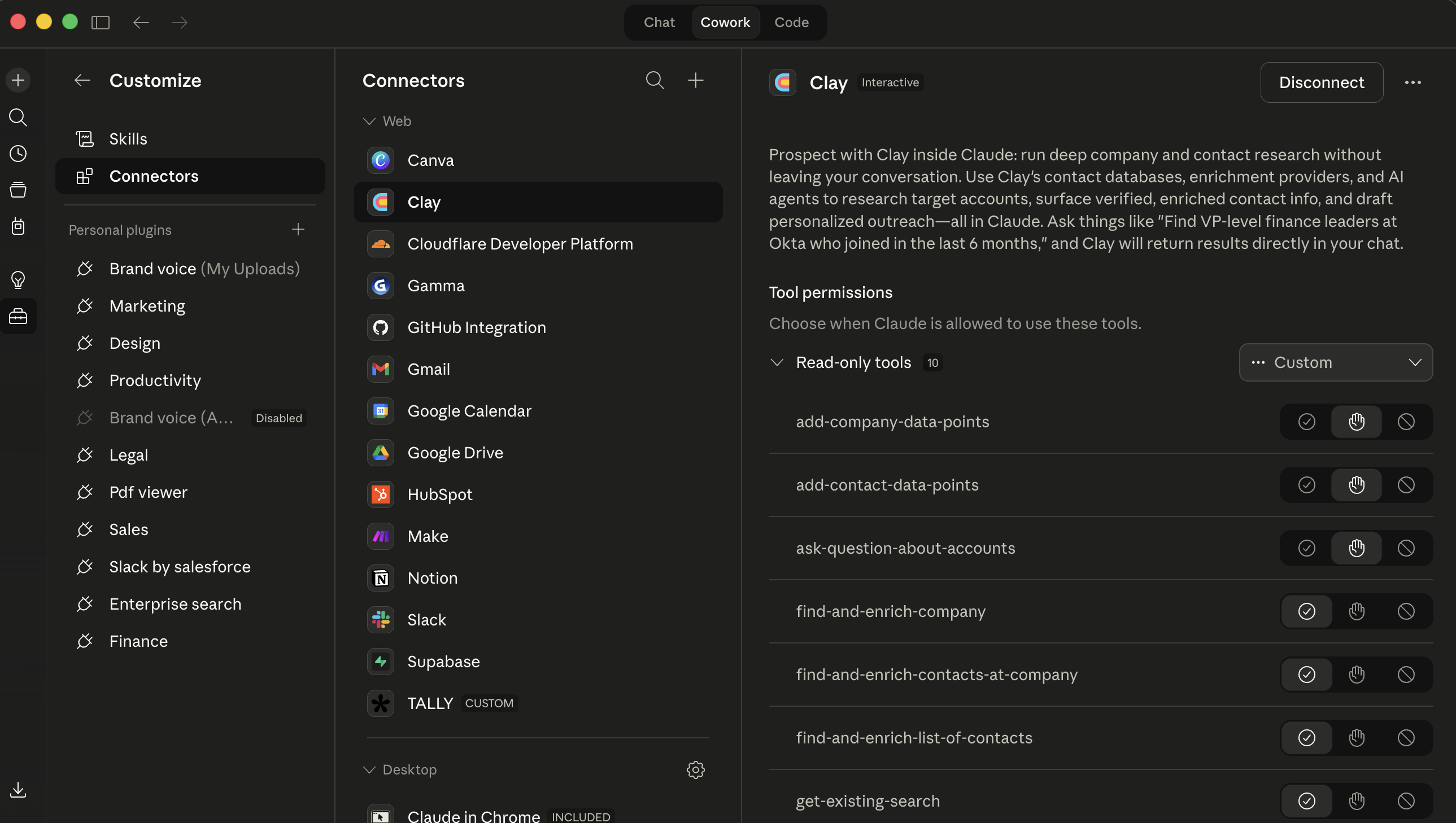
No IT team required, no API keys, no code.
You flip them on, authorize with your account, and Cowork can pull from those tools.
It drops a finished deliverable in your folder.
It’s not a “chatbot”, not a reactive assistant. Some describe it as “Claude Code agent” for non Developers.
It uses agentic capabilities to take action on your computer and execute, create, change (sometimes delete!!) files.
Now, most of the Cowork content I see online was clearly written the week it launched back in January.
→ "Drop files in a folder, Claude sorts them."
That was the wow task upon release. And having used it myself to sort all my accounting docs, it is indeed amazing.
But, we are 3 months later. Now Cowork navigates your competitor's pricing page in real time, pulls sales objections from Slack, checks your analytics dashboard, and writes the report.
While you're on the train. Different animal.
I use it daily for real day-to-day tasks. Wanted to share 3 things I actually use Cowork for most. Not a ranking, not a framework. Just what works (for me).
The Monday competitive brief
I'll start here because this is the one that is the most impressive.
Marketing teams I work with share the same problem: competitive intelligence is either three months old or lives entirely inside one person's head.
Someone bookmarks competitor pages. Screenshots pricing. Saves a launch announcement somewhere in a Slack thread. None of it becomes anything usable because synthesizing 15 scattered sources into a brief takes 2-3 hours that nobody has.
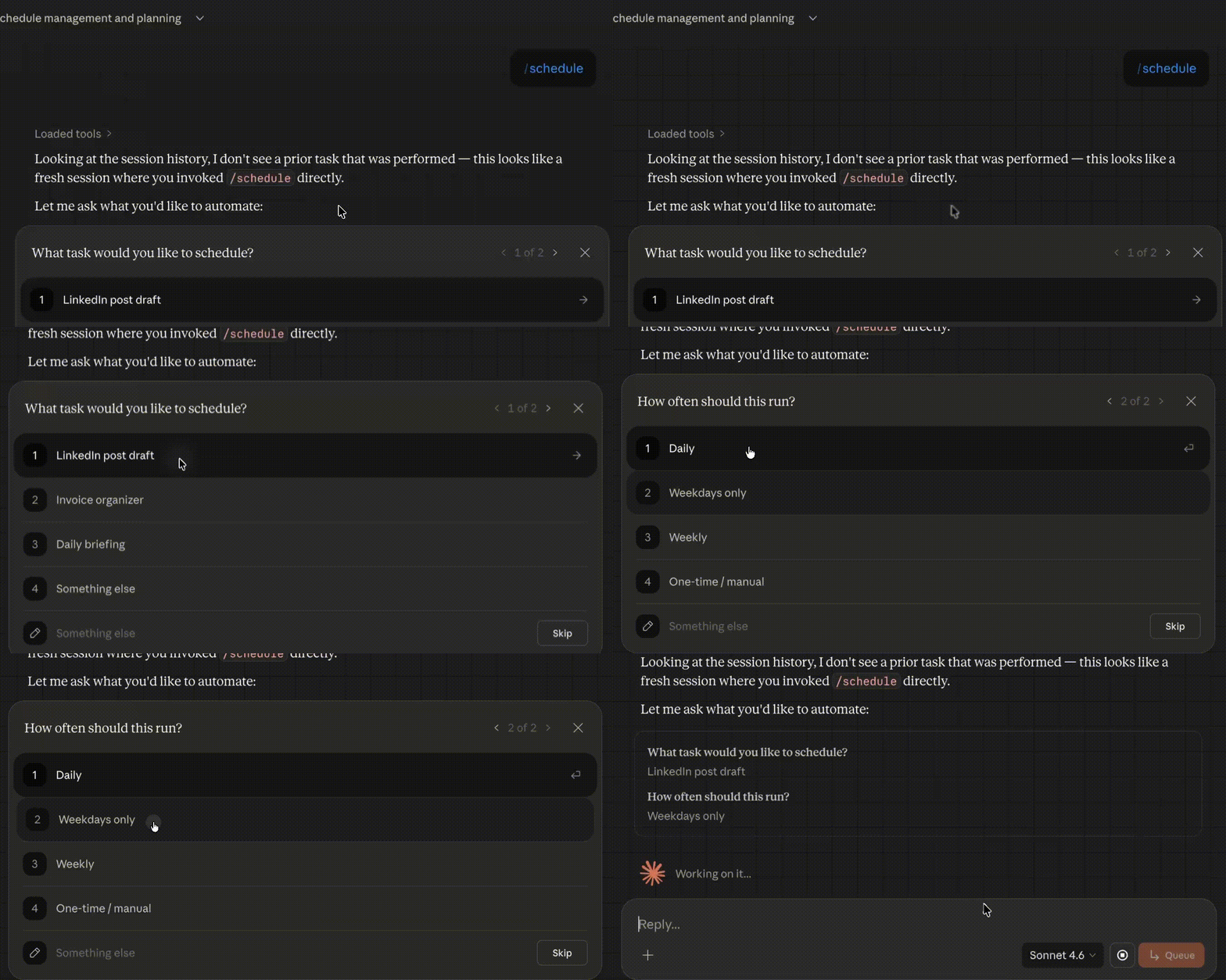
So I set up a scheduled Cowork task: You can schedule a task that Cowork will run daily/weekly when you want.
Monday morning, 8am.
(The setup takes about 2 minutes: you run the task manually first, check the output, then type /schedule in the chat and Claude walks you through picking the day and time. That's it.)
The instructions tell Claude to
- visit 5 competitor websites (pricing pages, product updates, blogs),
- pull the week's messages from the #competitive-intel Slack channel,
- check Gmail for competitor newsletters,
- produce a one-page brief Gdoc:
- Three sections: what changed, pricing moves, messaging shifts.
- Saved as a Word doc in Google Drive.
Claude opens Chrome and you can literally watch it clicking through competitor sites, scrolling pages, extracting text.
It's a bit surreal the first time. You can keep working in other apps while it runs, but honestly, The first time, you'll just stare at it.
After that, you stop watching and let it do its thing.
This part is humbling though. The first brief it produced was technically accurate but completely missed the point on one competitor.
Their "Enterprise" plan had changed, and Cowork reported it as a new tier. Which was technically true.
But anyone who follows that space knows it's really a mid-market play disguised as enterprise. Cowork caught the what, but missed the so-what.
And this is key. The assembly work (genuinely the 2-hour part) is done. The judgment work, 15 minutes, is mine.
I've been running this for about 4 weeks now.
The brief shows up every Monday. I edit for 5 minutes, forward to the team. Some weeks I add context. Some weeks it's basically ready. The point is: the brief exists.
Every week.
Roughly 8-10 hours/month I'm not spending on assembly anymore.
One thing I learned the hard way: be very specific about what counts as "signal" vs. noise in your task instructions.
My first version treated a competitor's "Meet Our Interns" blog post with the same weight as a pricing restructure. I added a section to the instructions defining what matters and what to skip.
Second week was way better. (I shared the exact instructions in the Vibe Subscribers section below if you want to skip a trial-and-error.)
A Friday report that actually gets done
I'm going to be honest about this one because I think the honesty is more useful than the workflow itself.
You probably have a weekly report: Traffic, email performance, conversions, trends.
In theory it gets done every Friday.
In practice... I know teams that haven't produced a consistent weekly report in months. And these are good teams.
It's just that building the report means opening three dashboards, exporting data, formatting it, writing the takeaways, and by then it's 5pm and everyone's gone.
My Cowork setup: Friday recurring task.
Claude opens the analytics dashboard, the GSC page in Chrome, pulls traffic by channel and top pages.
Opens the email platform, grabs campaign metrics.
Writes a report with trends vs. last week and three recommended actions. Saves to Drive.
This works. Mostly.
Computer use (the feature where Claude navigates your screen) is the most fragile thing in Cowork right now.
Clean dashboards with standard layouts? Fine.
Complex UIs with custom date pickers or heavy JavaScript? It struggles a bit.
I had it click the wrong date range on a HubSpot report. The report looked great. The numbers were wrong.
I caught it because I checked. Someone less careful might not have.
My actual flow: Cowork builds the report. I spend 10 minutes verifying the key numbers against the actual dashboards.
That's my quality filter. Then I forward it.
Savings: maybe 30-45 minutes per week.
Not massive. But the real value is consistency.
The report that lived on everyone's to-do list and never got done? It exists now. Every Friday.
That's worth more than the time math suggests, because decisions that don't get made because data isn't ready... those cost way more than those 45 minutes.
Start with one data source, by the way. Get Google Analytics working first. Then add email. Then add whatever else. I tried setting up 5 dashboards on day one and spent more time debugging than I saved. Lesson learned.
Content repurposing
This workflow is the least original idea, but most powerful execution.
Everybody and their content marketing intern knows you can ask AI to turn a blog post into LinkedIn posts and emails.
But Claude does two things that change the quality of the output.
- Cowork browses your actual LinkedIn page before drafting.
It checks what your recent posts look like, what formats are getting engagement, and matches the draft to your current style.
That's context a chatbot doesn't have.
When I first set this up, the LinkedIn drafts felt generic. After adding the instruction to check my page first, they started matching the tone and length of posts that were actually performing. Not perfectly. But noticeably better.
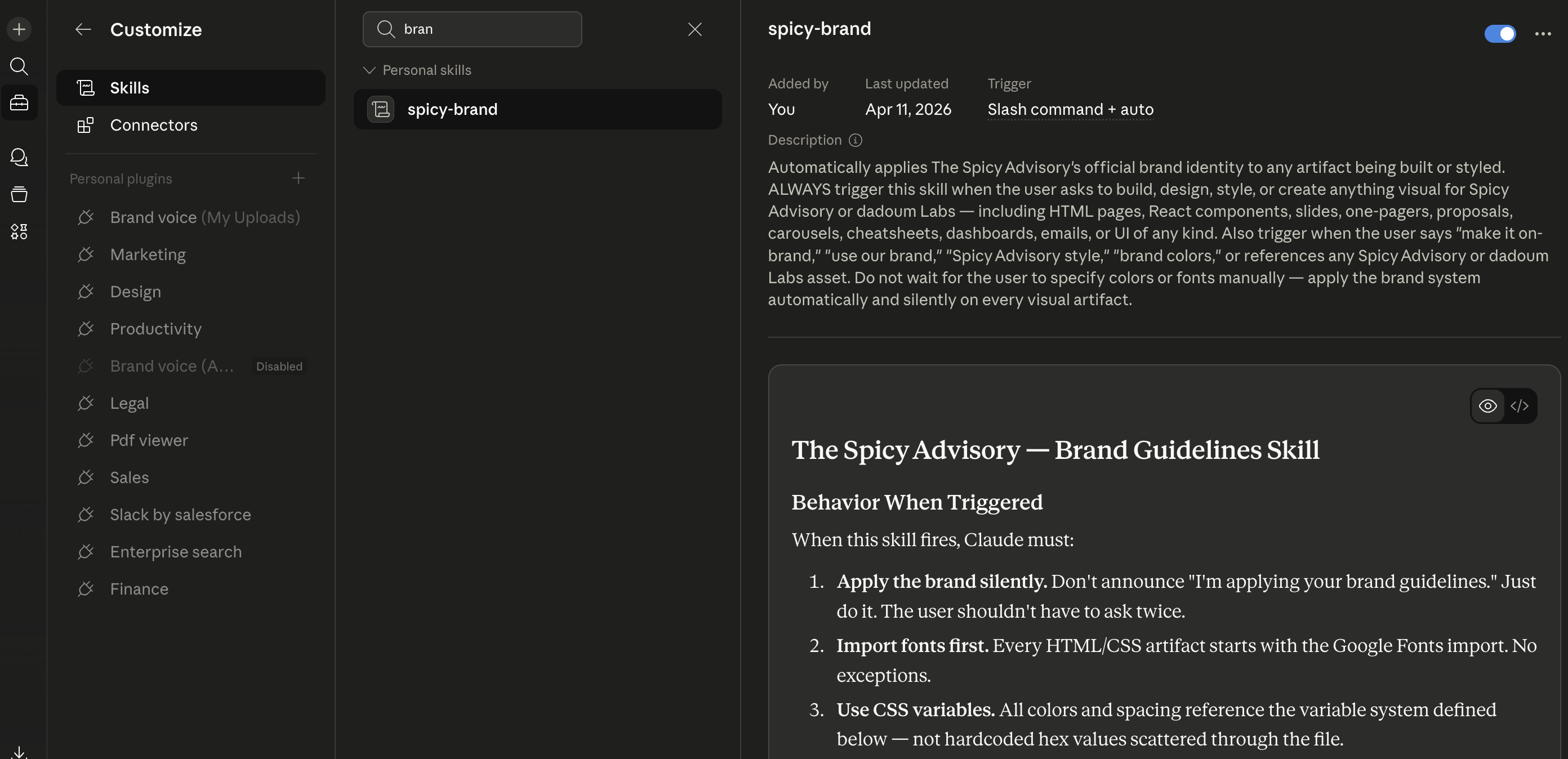
- the Brand voice Skill. Sounds technical, but it's basically a text file where you write your brand rules in plain English: Tone guidelines, banned phrases, examples of good and bad copy, audience description.
No code, no special syntax. If you can write a Notion page, you can write a Skill.
You set it up once (takes about 30-45 minutes).
Cowork loads it automatically on every task.
The competitive brief from workflow 1 🤔? Also follows your voice.
The report? Same. Everything stays consistent without you reminding it every time.
My repurposing setup:
I trigger it from my phone whenever I publish something new. Quick setup note here: you need the Claude mobile app and the desktop app paired together.
Your computer needs to be awake with the desktop app open. From your phone, you just open the Dispatch tab (it's like a persistent chat thread) and type your instructions.
Claude does the work on your desktop and sends you a notification when it's done.
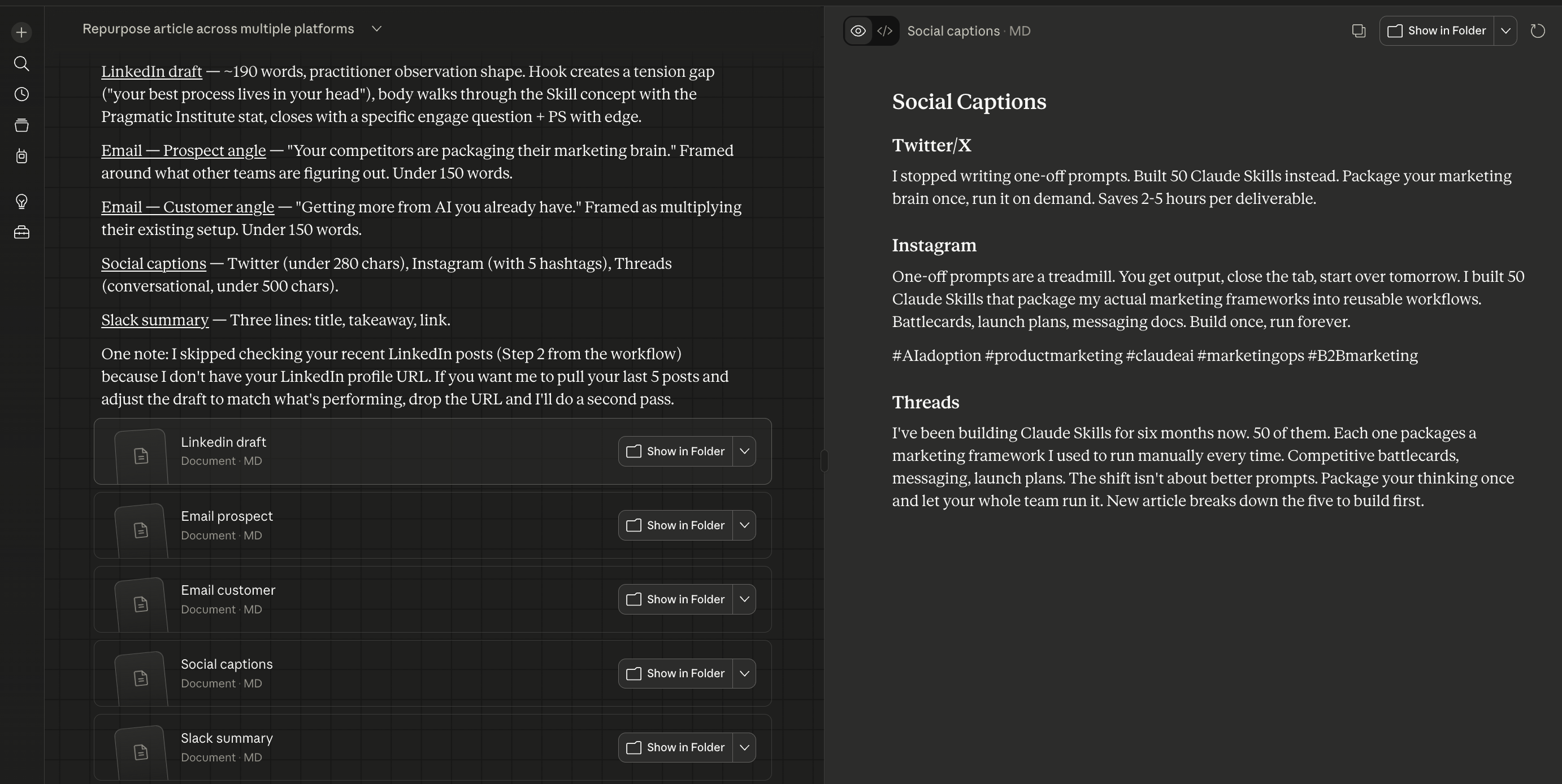
→ "Read this article. Apply the brand voice Skill. Check my LinkedIn for recent style. Produce a LinkedIn post under 200 words, two email snippets (prospect and customer angles), three social captions, and a Slack summary."
Seven outputs in about 5/10 minutes. My editing pass: 15 minutes.
Honest breakdown of quality:
LinkedIn draft is the strongest, usually needs minor tweaks.
Email snippets are decent but need personality.
Social captions alright, but often too safe. Too polished.
Claude gives me the foundations, but I usually rewrite most of this.
→ About 4 hours/month saved if you publish weekly.
The math, all together
Doing the math on time saved, I would say overall, it’s about 15 hours/month at least.
For a tool that costs $20/month on Pro or $100/month on Max (you'll want Max if you're running all three workflows regularly, Pro limits hit fast).
Fifteen hours of marketing execution time back. Per month.
For the cost of two business lunches.
That's the calculation that matters, not the feature list.
What breaks
I want to be specific here because too much AI content pretends the failure modes don't exist.
Security, since you're wondering:
Cowork accesses what you explicitly give it permission to.
Each connector requires your authorization, and you choose which folders it can touch.
Conversation history stays local on your computer, not on Anthropic's servers.
That said, don't point it at folders with sensitive client data or financial records. Common sense applies.
Computer use is fragile: Standard websites, fine.
Complex dashboards with lots of JavaScript, not great.
Always verify data Claude pulls from a screen.
Your laptop needs to stay awake.
Scheduled tasks only run while the Claude Desktop app is open. If your computer sleeps, the task gets skipped. It catches up when you wake it, but this isn't cloud-based yet. Tasks might be skipped entirely, if your computer is off.
Token consumption is real. Complex Cowork tasks eat way more usage than regular chat. Anthropic doubles limits during off-peak hours, so I schedule my tasks for early morning. Helps.
And it makes mistakes. I keep saying this because it keeps being true. Cowork produces editable first drafts, not finished work. Last week it wrote a competitive brief that listed a competitor's free trial as "discontinued" because the trial page had been redesigned and it couldn’t figure it out.
The value is in skipping the assembly, not the thinking.
Where to start
Don't set up all at once. Pick the one workflow that hurts most.
If competitive intel at your company is basically nonexistent, start with the brief. Big time savings, most reliable setup.
If you're publishing content but drowning in the repurposing, start there. But build the brand voice Skill first.
It takes 30 minutes and compounds across everything else you do in Cowork.
If your weekly report has been "on the list" for months, start there. But start simple. One dashboard. Get it working. Then expand.
What's the one marketing task that keeps getting pushed to next week at your company? Please Reply and share, would love to hear about it. I'm collecting real workflows for a follow-up.
PS: If your team still thinks AI tools are "basically autocomplete," forward them this and tell them to try one workflow. Just one. Then we'll talk.
For Vibe subscribers: the copy-paste kit
Everything below is ready to use.
Drop these into Cowork, swap in your specific competitor names, Slack channels, and dashboard URLs.
What's included:
- Competitive monitoring task instructions (the exact prompt, with signal vs. noise rules that took me two weeks to get right)
- Performance reporting task instructions (with the verification checklist I run before forwarding)
- Content repurposing task instructions (with output specs per format)
- Brand voice Skill template (fill in your specifics, 30 minutes, applies to every future task)
- And a marketing team Cowork setup checklist (the 4-week onboarding we share with clients)
Want to go deeper? At Spicy Advisory, we help startups and scale-ups integrate AI into their product and GTM processes. Explore our AI adoption programs for hands-on workshops and deployment support.